The meeting is the easy part.
SeeUAll holds the meeting, on our own machines in Canada. Then it does the part nobody enjoys — takes the register, writes the minutes, files the recording, and sends all of it back to the system your organisation already runs.
Accounts come from your organisation. Sign in if you have one.
- ways to share on screen
- 14
- ways to share on screen
- apps: web, desktop, Android
- 3
- apps: web, desktop, Android
- switch turns all AI off
- 1
- switch turns all AI off
- meetings held in Canada
- CA
- meetings held in Canada
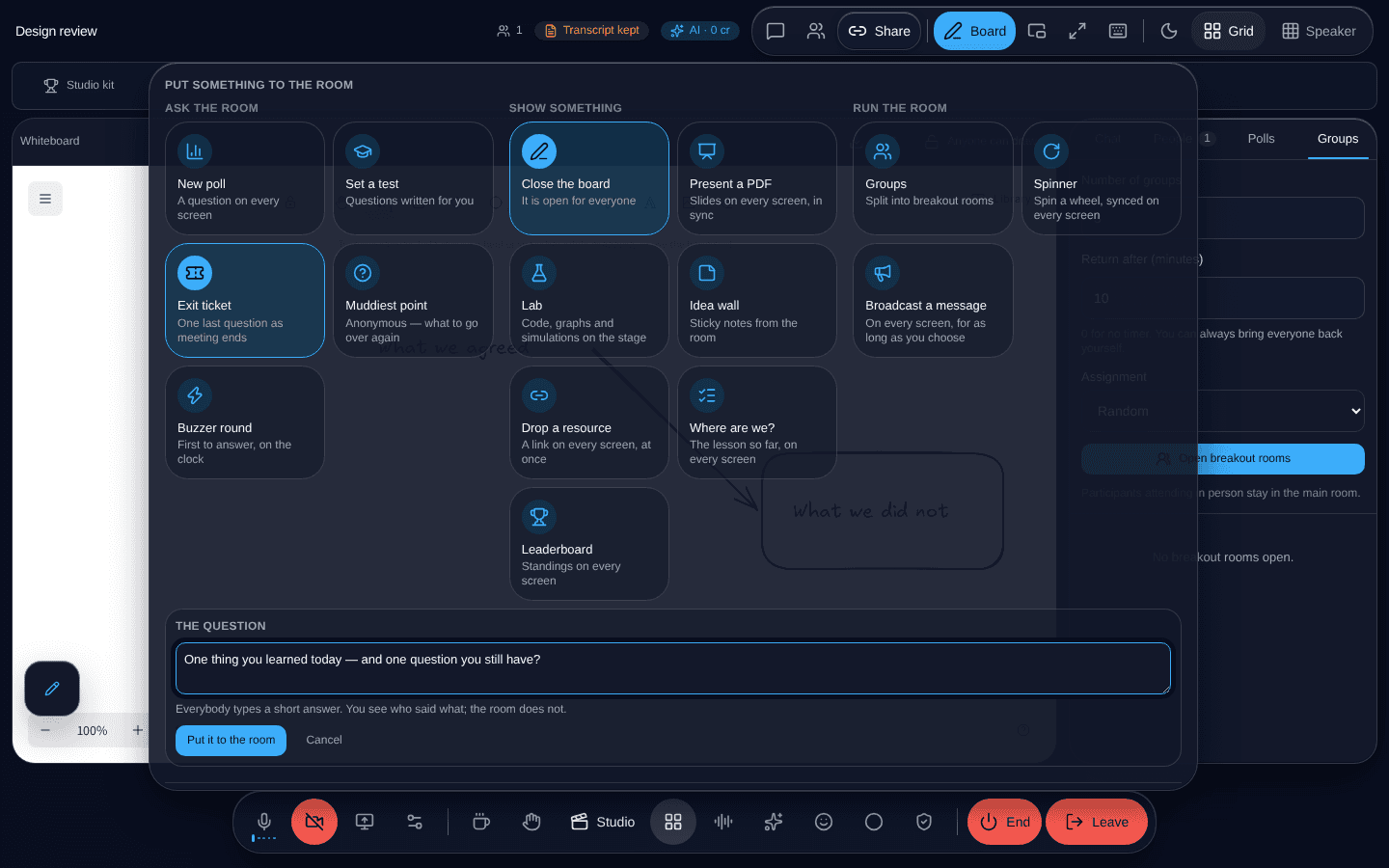
Everything a host can put in front of everybody, one press away.
It fits what you already have
Meetings that create themselves, where your work already lives
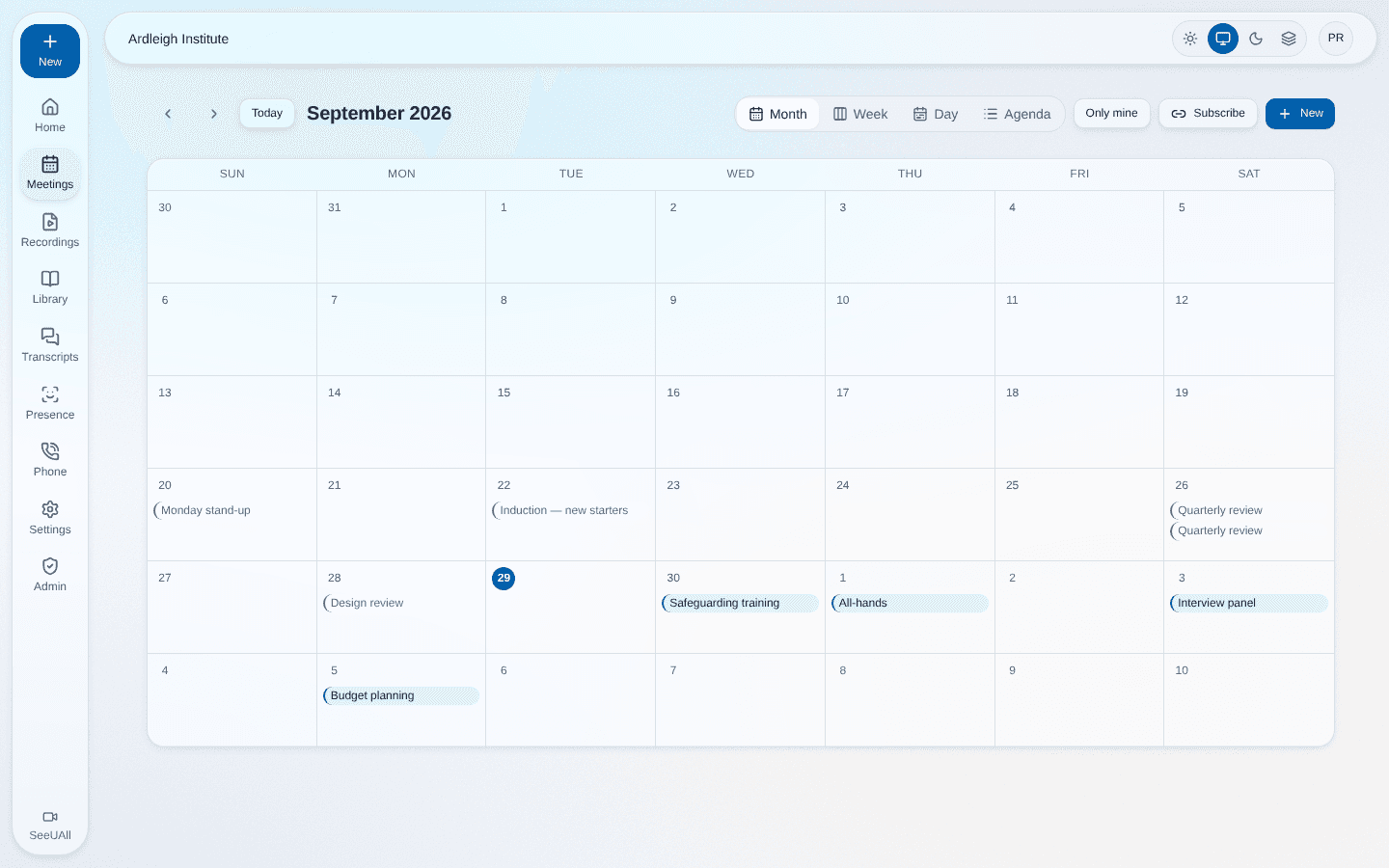
A meeting is created from your timetable, your learning platform, or your own software through our API — and appears here with the right people already invited. Everybody signs in with the account they already have, so nobody is keeping another password.
When it is over, what happened goes back the same way. A meeting becomes one link rather than one more system somebody has to remember to keep up to date.
More than a video call
Fourteen ways to put something in front of everybody
A whiteboard everybody draws on. A document on every screen, on the same page. A live web page or a whole built site. Polls, tests, flashcards, an idea wall, a buzzer, a way to pick somebody at random that nobody can rig.
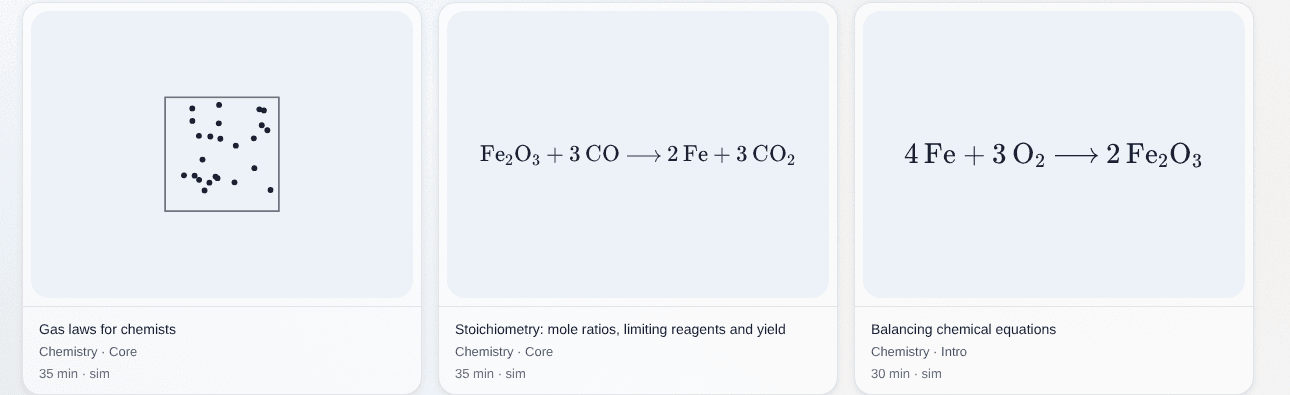
And the Lab: a code, maths, physics and chemistry workspace the meeting edits together, where Python and JavaScript run inside the browser. Somebody arriving twenty minutes late gets the whole of it, not the part they were present for.
AI, and what it costs
It writes itself down while you talk
Captions as people speak. Afterwards a searchable transcript, minutes in your inbox, and a recap with the decisions and the action items pulled out — every one of them checked back against what was actually said rather than asserted.
You can watch what it is costing while the meeting runs, from figures we measured rather than estimated, and one switch turns the whole of it off — including the jobs that would otherwise run after everybody has gone.
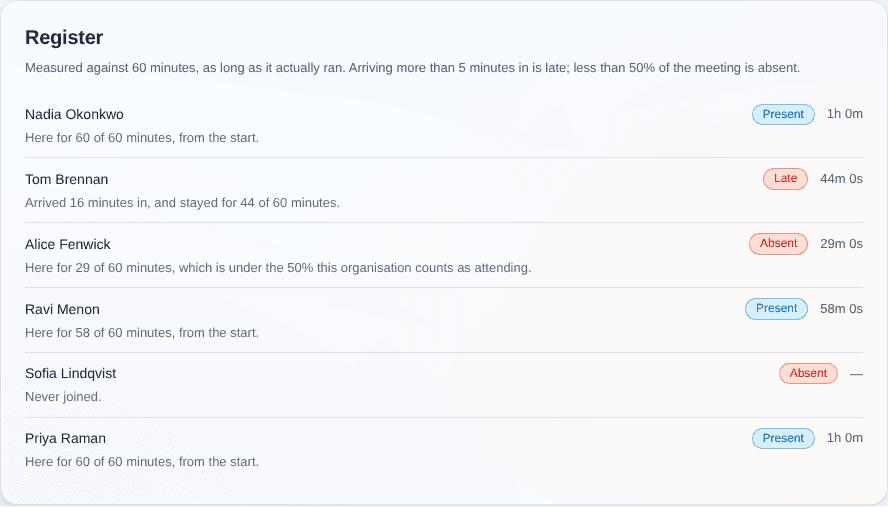
Nobody takes a register
Who was there, judged by your own rule
Every meeting produces who was there and for how long, down to the minute they arrived and the minute they left. Your organisation decides what late means, and the sum behind each verdict is printed next to it, so nobody has to take our word for the answer.
It exports, and it goes back on its own into the system that asked for the meeting.
On whatever they already have
A browser is enough. The apps do what a browser cannot.
Everything works in a browser with nothing installed, on a laptop or a phone. The desktop app for Windows, macOS and Linux adds the one thing no web page will ever be allowed to do: letting somebody take control of your screen — click and type on your machine, not merely point at it.
Android carries meetings, calls, messages and your account, and rings on the lock screen the way a telephone does. It is on Google Play now; the iPhone app is coming soon.


And the rest of it
This is a platform rather than a meeting product with extras bolted on. A few of the things people are most surprised to find in it:
One organisation cannot see another
Enforced by the database itself rather than by remembering to write the right query, so a mistake returns nothing instead of returning somebody else’s meetings.
Our own machines, in Canada
Not resold from somebody else’s video platform. The servers are ours, in Beauharnois, Quebec — which is also why the capacity figures we publish are measurements of the machine you would be using.
Take control of a screen
Somebody else clicks and types on your machine rather than pointing at it. No web page can do this, which is what the desktop app is for.
Live captions
Speech written on screen as it happens, recognised on our own servers rather than sent to anybody else’s.
Breakout groups
Split everybody into smaller groups and bring them back together.
Move a meeting
Change the date, time or length and it stays the same meeting — same link, same people — with everybody told and the old time struck through.
Checks that name the problem
Is my microphone dead, am I echoing, is my camera frozen, can they actually hear me — each answered separately instead of one “check your settings”.
Safeguarding built in
A named officer, a reporting route, and access that is recorded every single time it is used.
An API and webhooks
Create meetings, add people and read attendance from your own software — versioned, documented, and described by a specification generated from the code that validates it.
Calls and messages
Everybody gets a number and a handle. Calls ring wherever they are signed in, and personal messages are encrypted end to end.
Streaming and broadcast
Send a meeting out live, or direct it like a programme — scenes, a place to wait before going on, talkback to whoever is presenting, and a vertical cut for phones.
Talk to us about your organisation
Tell us roughly how many people run meetings and what you would want it connected to. We will answer with what it would look like for you — not with a brochure.
info@seeuall.com