
People with no account
Let somebody in who has no account, without leaving the meeting
Open the meeting to guests, copy a link, and close it again — all from inside, while the person you are trying to let in is still waiting.
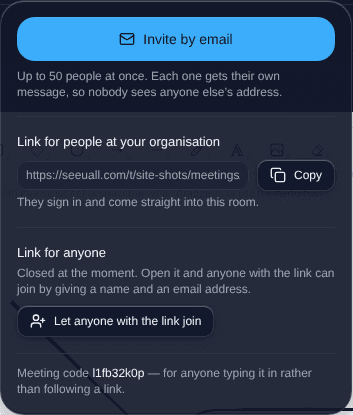
What it is
A host opens the door, sends a link, and shuts it afterwards. The guest arrives with a name and no account, and everything in the meeting works for them: chat, the whiteboard, polls, the shared workspace.
There are two kinds of link and the panel says which is which. The meeting’s own code is permanent and everybody ever sent it keeps it. A share link can be revoked on its own, expires, and can be capped at a number of uses.
What “close it again” actually does
It disconnects the guests who are already in. A door that closes while the people who walked through it stay put has not closed.
Closing from inside a meeting closes that meeting only. Turning the organisation-wide setting off from one meeting would cut guests out of every other meeting running at that moment, which is not what anybody pressing it expects — so only an owner or an administrator can do that, from the settings, and the button says so in plain words.