
Moderator controls
The controls you need at the moment something goes wrong
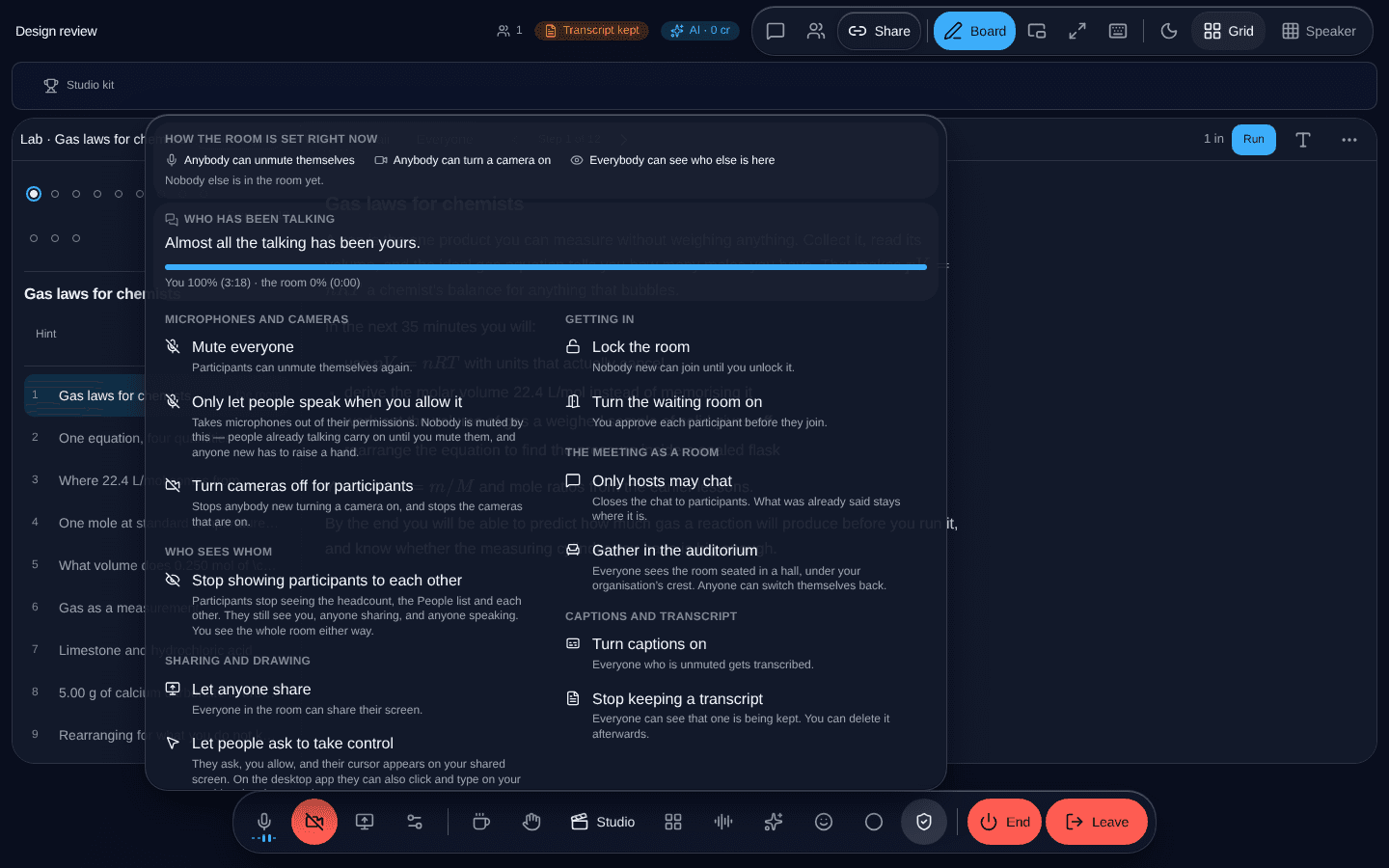
Mute everybody, mute one person, remove somebody, lock the door — reachable in one press, because by the time you need them you are not reading.
What it is
Mute all, with a confirmation, because it interrupts everybody. Mute one person without a confirmation, because that is a correction rather than an event. Remove a participant. Lock the meeting so nobody else arrives.
All of it applies at the media server, so somebody who has been muted is muted whatever their browser thinks.
Said in words, once
The loud controls explain what they are about to do before they do it, and the panel states the meeting’s current state above the switches rather than leaving it to be inferred from which buttons look pressed.