
Polls

A question on every screen, and you decide when they see the answer

Tallied for the host as the votes arrive, shown to the meeting only when you press “show results”.
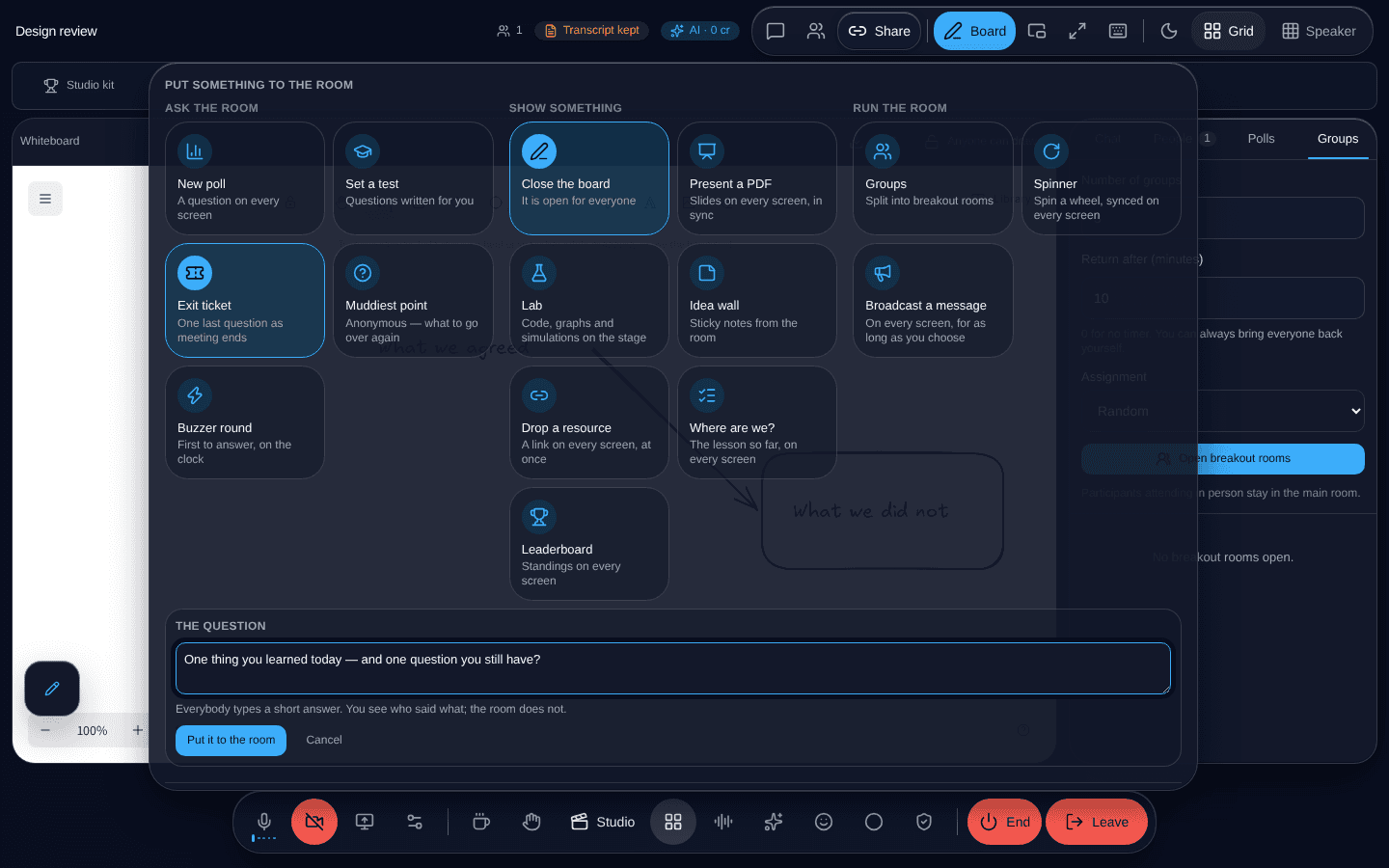
The activities panel in a SeeUAll meeting, showing fifteen things that can be put in front of everybody.
A poll is one of fifteen tiles in the same panel.

What it is

A poll opens on everybody’s screen at once. You watch the count; they do not, until you choose.

That gap is the whole feature. A live bar chart on everybody’s screen produces a different answer from a hidden one, because people can see which way it is going.

Who voted for what

Available to staff, and only to staff, and fetched when asked for rather than pushed to every browser. The messages that carry a poll around the meeting never contain anybody’s vote or anybody’s name.

Read next

  • Tests

    Multiple choice, select-all, true or false, matching, ordering and written answers — marked, with auto-hand-in when the time runs out.

  • Questions

    Asked in writing, answered in order, without anybody having to interrupt.

  • The muddiest point

    And get the answers grouped, instead of a list of ninety worried sentences.

Everything it does

Want to see this working?

Tell us what you are trying to do with it and we will show you that, rather than a tour of everything else.

info@seeuall.com
    Polls — SeeUAll · SeeUAll